How to Save Money on Streaming Services: A Case Study
If you’re a cord-cutter, cord-never, or even a cable holdout, you probably spend more on streaming than you’d like. Especially with the streamers continually raising prices. The good news: you can still cut your streaming bill substantially by combining free trials, promotional discounts, credit card statement credits, and partner perks — and by rotating services in and out instead of letting them all run year-round.
I’ve been updating this guide since 2021, and the ground has shifted underneath it. Back then, the streamers were buying market share, and discounts were everywhere. Around 2023, they pivoted to profitability, and the easy deals dried up. They haven’t disappeared — you just have to work harder to find them.
Below, I’ll walk through every tactic I use across Netflix, Disney+, Hulu, HBO Max, Apple TV, Paramount+, AMC+, Prime Video, and Peacock — and then show you exactly what I pay, month by month.
In July 2026, I managed to subscribe to seven ad-free services for under $34.
Regularly Updated
I keep this guide up to date and revise it whenever I discover a new savings tip or strategy.
Two things shape everything below:
- No ad-supported tiers: I’m allergic to commercials, so I only subscribe to ad-free plans. The cheaper ad-supported tiers are a legitimate way to save — they just aren’t for me, so this guide assumes ad-free pricing throughout.
- No live TV or sports: I watch almost no live sports or events, so this guide skips the pricey live-TV services like YouTube TV and Hulu + Live TV. (If you do want live TV, Sling is usually the cheapest way in, assuming its channel lineup fits your needs.)
Price Changes
In case you missed the announcements, or need a reminder of why it’s important to monitor your costs regularly, here are the latest major services to raise their monthly rates:
- Disney Streaming Plans on September 23, 2026
- Disney+: Ad-Free to $21.49 (+$2.50)
- Hulu: Ad-Free to $21.49 (+$2.50)
- Disney+/Hulu Bundle: Ad-Free to $21.99 (+$2)
- Apple TV: Monthly Plan to $14.99 (+$2) on August 28, 2026.
- Peacock: Premium Plus to $19.99 (+$3) and Premium (with ads) to $12.99 (+$2) on August 18, 2026.
- Amazon: Ad-free Prime Video, now rebranded as Prime Video Ultra, to $4.99 (+$2) on April 10, 2026. (4K now requires Ultra.)
While price increases are always a bummer, there are more ways to save than you might think, starting with deals from the streamers themselves.
Direct Promotions from the Streamers
The first place to check for savings is straight from the streamers. They regularly offer free trials, seasonal promotions, and bundle discounts to pull in subscribers — no middleman required.
Free Trials
Before subscribing, check whether a service offers a free trial. Ad-free trials directly from the streamers have become less common, but when you can find one, it’s the best way to test a service.
These days, Netflix, HBO Max, and Disney+ rarely, if ever, offer free trials. Other services, such as Hulu, offer free trials that vary over time or by customer; you won’t know your trial duration (if any) until you enter the sign-up flow and select a tier.
Paramount+ used to hand out 30-day trials like candy; you could stretch them for months by canceling and resubscribing. But that ended in 2025. (I never minded paying full price for a month here and there; I’m happy to fund more Star Trek.)
Apple TV is one of the few major services that still offers a standard 7-day free trial for new subscribers. Even better, Apple offers three months of free service with the purchase of qualifying Apple hardware. Keep in mind that Apple restricts this hardware deal to once per customer account, not once per device purchase.
Bonus tip: If you only need a service for a short window, cancel right after signing up — most services let you keep watching through the end of the trial period, so you lock in the free days without risking an auto-renewal charge.
For a broader rundown of which services currently offer free trials, see PCWorld’s guide to streaming free trials.
Seasonal Promotions & Temporary Deals
The biggest discounts tend to cluster around a few dates on the calendar: Black Friday, Cyber Monday, and the occasional summer sale.
As an example, for the past few Black Fridays, Hulu has offered a year of service at $0.99/month (ad-supported tier).
Paramount+ has run Black Friday deals too — $1.99/month for the ad-supported tier or $3.99 for ad-free, both for three months. Better still, in summer 2026 it offered ad-free Premium for $1/month for two months.
Sadly, these offers have become less frequent as streamers tighten their belts. Most promotions now target ad-supported tiers; Peacock, for example, rarely runs direct deals on its ad-free plan.
Bundles
If you’re juggling several streaming services at once, a bundle can reduce your total cost.
Some bundles combine services from the same parent company. Disney offers the Disney+, Hulu, ESPN Unlimited Bundle and the smaller Disney+, Hulu Bundle, which costs barely more than Hulu alone.
Other bundles combine services from different companies. Disney and Warner Bros. Discovery offer the Disney+, Hulu, HBO Max Bundle. Spotify offers a student bundle of its Premium plan and Hulu (ad-supported) at a low price.
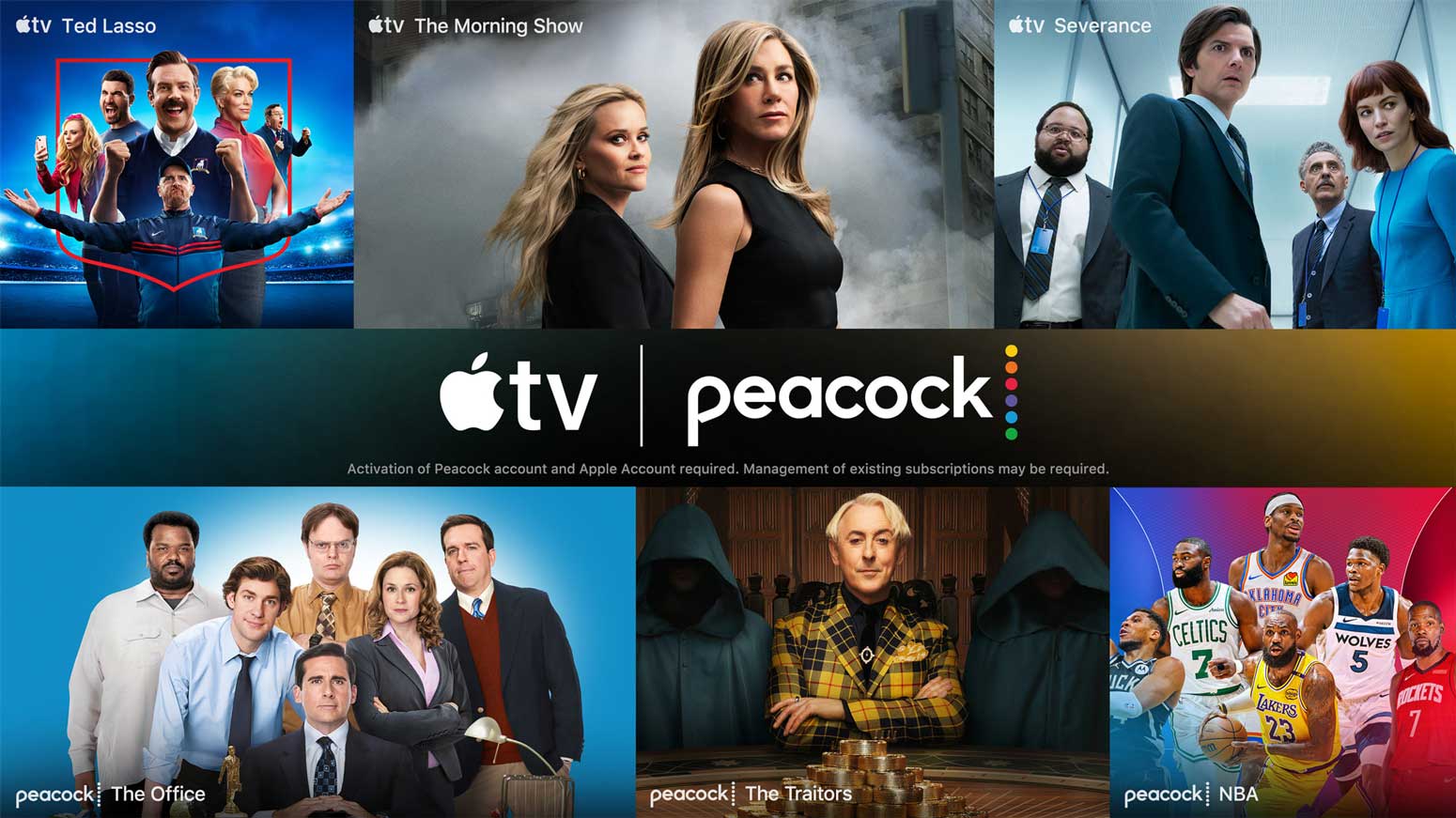
Another example: the Apple TV and Peacock bundle. Adding either Peacock Premium (ad-supported) or Peacock Premium Plus (ad-free) to Apple TV runs about a third less than subscribing separately. Apple One Family and Premier subscribers do a little better still.
Just be careful: depending on your viewing habits, a bundle can be a spending trap rather than a savings vehicle. If you’d realistically only watch one of the services in the package, you’re not saving anything.
Discounts from Promotional Partners
Some of the best streaming discounts don’t come from the streamers at all. They come from other companies altogether: wireless carriers, credit cards, and cashback shopping portals.
Mobile Phone Carriers
Retail promotions (like extended trials from Target or Best Buy) come and go too quickly to rely on. Wireless carriers are steadier, with certain plans offering ongoing discounts on streaming subscriptions.
For example, via T-Mobile, I qualify for $6.99/month toward my Netflix subscription. I don’t pay Netflix directly; instead, the service appears on my T-Mobile bill. T-Mobile also subsidizes $9.99 of Apple TV’s $12.99 price, bringing my cost to $3.00. I’ve paused that perk for now, since a credit card is giving me a free year of Apple TV, but I’ll switch back when the promo ends.
Verizon and AT&T run their own streaming perks, so it’s worth checking what your plan already includes. You may be paying for a service your carrier would cover.
Credit Cards
Beyond your phone bill, credit cards are the best place to hunt for permanent streaming discounts. They typically offer value in two ways: elevated cash-back reward rates or ongoing monthly statement credits.
One of my credit cards (from American Express) offers an unlimited $10 monthly statement credit on Disney+, Hulu, ESPN, or bundles of those services.
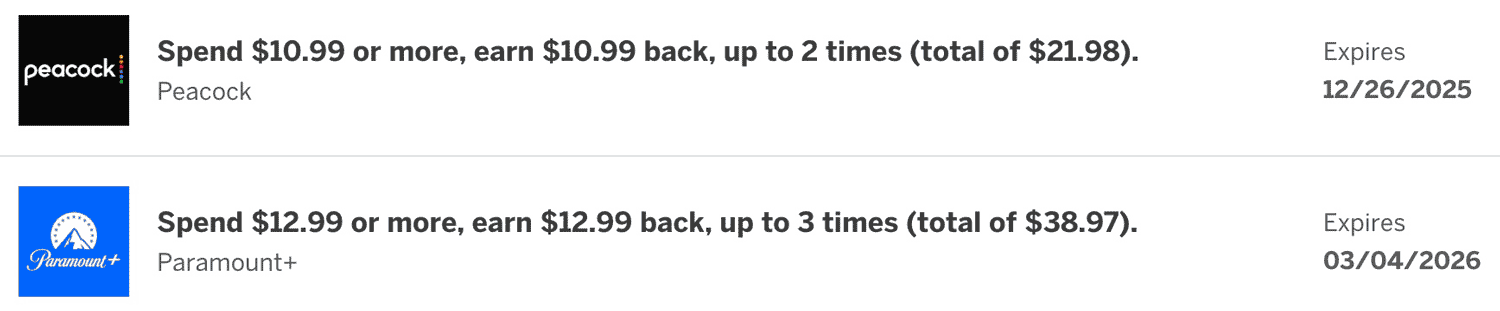
In addition to that permanent credit, the card periodically drops limited-time offers into my account. These can be substantial:
- Peacock: A $10.99 statement credit, good for two separate months — roughly 65% off the $16.99 ad-free plan. I rarely see discounts on the ad-free tier, making this one an outlier.
- Paramount+: A $12.99 statement credit, redeemed three separate times, covering 100% of the ad-free plan for three full months. I’ve redeemed this offer in both 2025 and 2026.
The card also earns 6% back on streaming subscriptions. I use it as my default for any service not already covered by a deeper discount or a bundled perk (like getting Netflix through T-Mobile).
Another card in my wallet (from Chase) now includes an entire year of Apple TV as a baseline benefit. The card also earns 3x points on streaming, though I default to the Amex card’s 6%.
The takeaway: A card’s base rewards rate for streaming is just the start. Keep an eye on your card’s offer emails, since that’s where the real discounts hide.
Cashback Shopping Portals & Apps
Cashback portals are a separate savings route, and one you can stack on top of a card discount. Services like Rakuten and Capital One Shopping periodically offer cashback on major streamers.
In July 2026, Rakuten was showing up to $10 back on Disney+, with the amount depending on which bundle you pick.
In September 2025, Capital One emailed me a similar offer for up to $15. Good timing, because Disney+ and Hulu had added several new titles since my last subscription, including Alien: Earth.
I resubscribed to the Disney+, Hulu Bundle. Capital One Shopping earned me $7.50 in reward cash, and American Express kicked in a $10.00 monthly statement credit. That was $17.50 off the first month and $10 off each month after — too good to pass up for a two-month subscription.
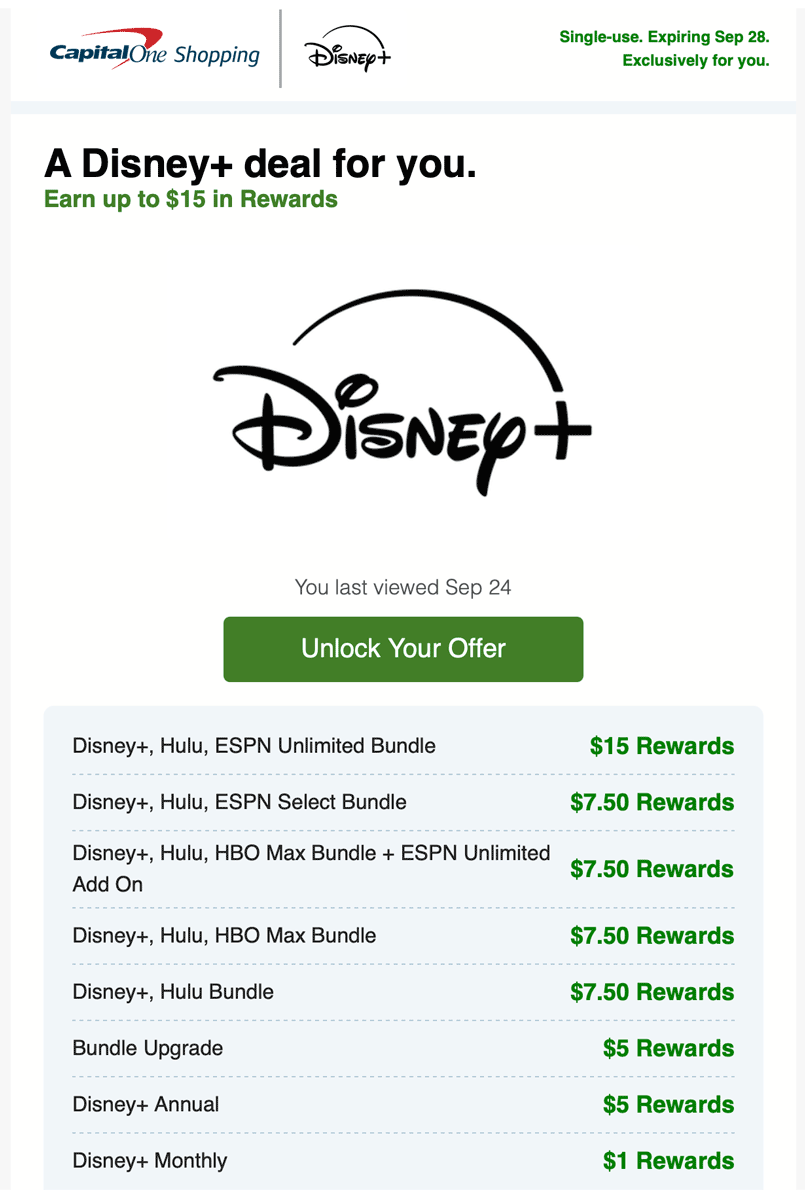
You don’t need to be a Capital One cardholder to use the Capital One Shopping portal.
A second use for portals: rewards can go toward streaming gift cards. Capital One Shopping doesn’t pay out in cash the way Rakuten does; you redeem for gift cards instead. The selection is thin on general-use options like Amazon or Target, but I’ve seen Paramount+ and Hulu there, which could come in handy someday.
For more promotional partners that can help you reduce costs, see Jared Newman’s PCWorld article, Don’t pay full price for popular streaming services like Peacock.
Subscribing Through Prime Video, Apple TV, or Roku
If you can’t get a deal directly from a streamer or one of its partners, there’s another route: subscribing through a bigger service you may already use.
Prime Video Channels, Apple TV Channels, the Roku Channel, and other platforms double as marketplaces, selling subscriptions to rival services. You can get HBO Max, Paramount+, AMC+, or Starz through any of them. The catch — and the thing that separates this from billing through your phone carrier — is that the platform handles the viewing too. Subscribe to Paramount+ through Prime Video Channels, and you watch inside the Prime Video app, not the Paramount+ app.
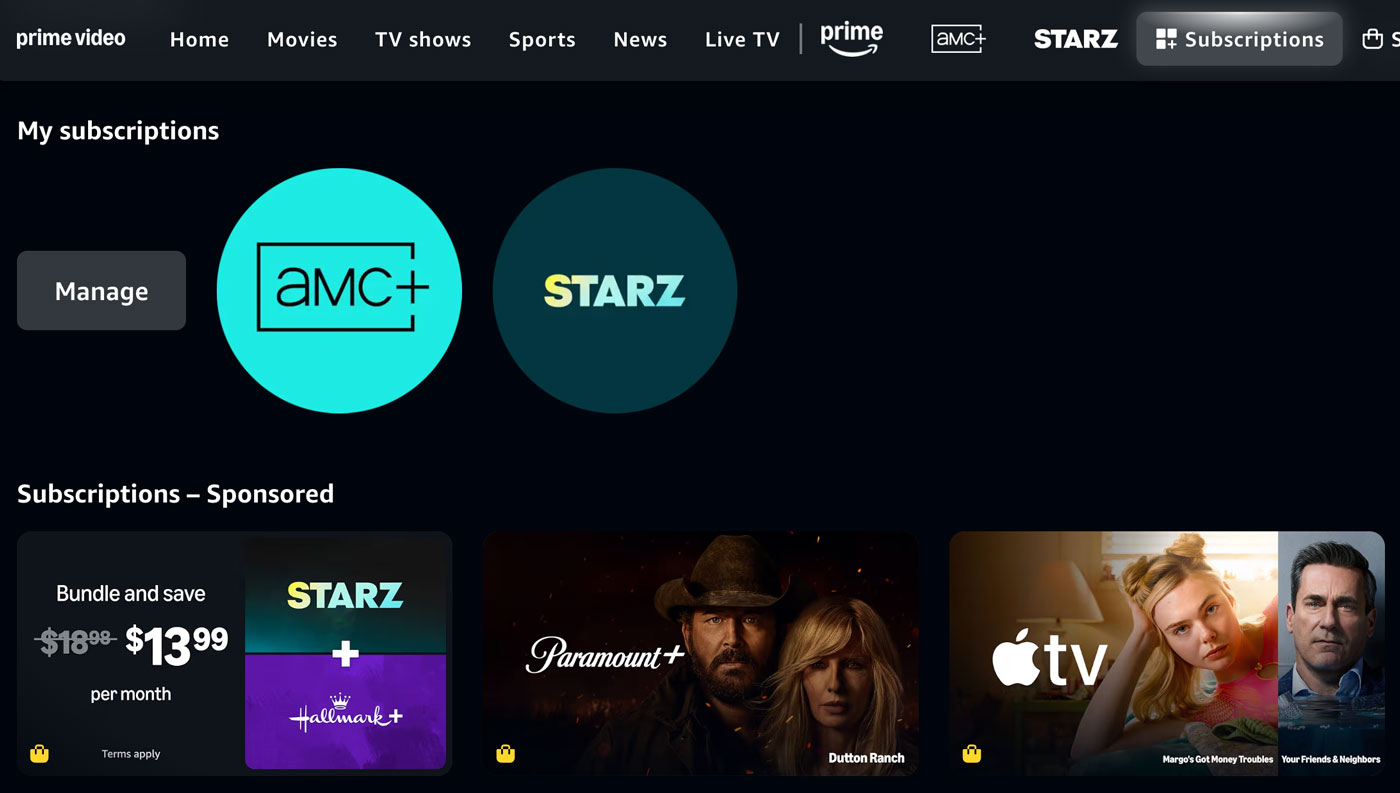
When booking travel, I usually avoid middlemen. For streaming, though, they come with real advantages.
Free Trials Resurrected
Third-party marketplaces often have free trials for services that no longer offer them directly.
Take Paramount+, which killed its direct-signup trials. Subscribe through Prime Video Channels, and you may still see a 7-day trial.
Stacking Free Trials
Streamers and platforms don’t share billing systems or subscription histories, so a trial you’ve used on one doesn’t count against the others.
You could sign up for a 7-day AMC+ trial on its website, then rinse and repeat on Apple TV Channels, the Roku Channel, and Prime Video Channels. That’s more work than I’d want to do, but it’s a loophole worth knowing about.
Exclusive Platform Promotions
Independent of the streamers, platforms run their own discounts, often timed to retail events like Amazon Prime Day and Black Friday.
During these sales, Prime Video Channels and the Roku Channel typically drop mid-tier services (such as Paramount+, AMC+, and BritBox) to $0.99/month for two to three months. I’ve grabbed these offers many times, especially for services I’d never pay full price for, like Starz.
Other Advantages
Beyond the savings, subscribing through a platform can make watching easier — one app instead of many, access on older devices, sometimes even better picture and sound.
App Consolidation
Subscribing to add-on channels like AMC+ and Starz through Prime Video or Apple TV means one login and one watchlist instead of juggling several apps.
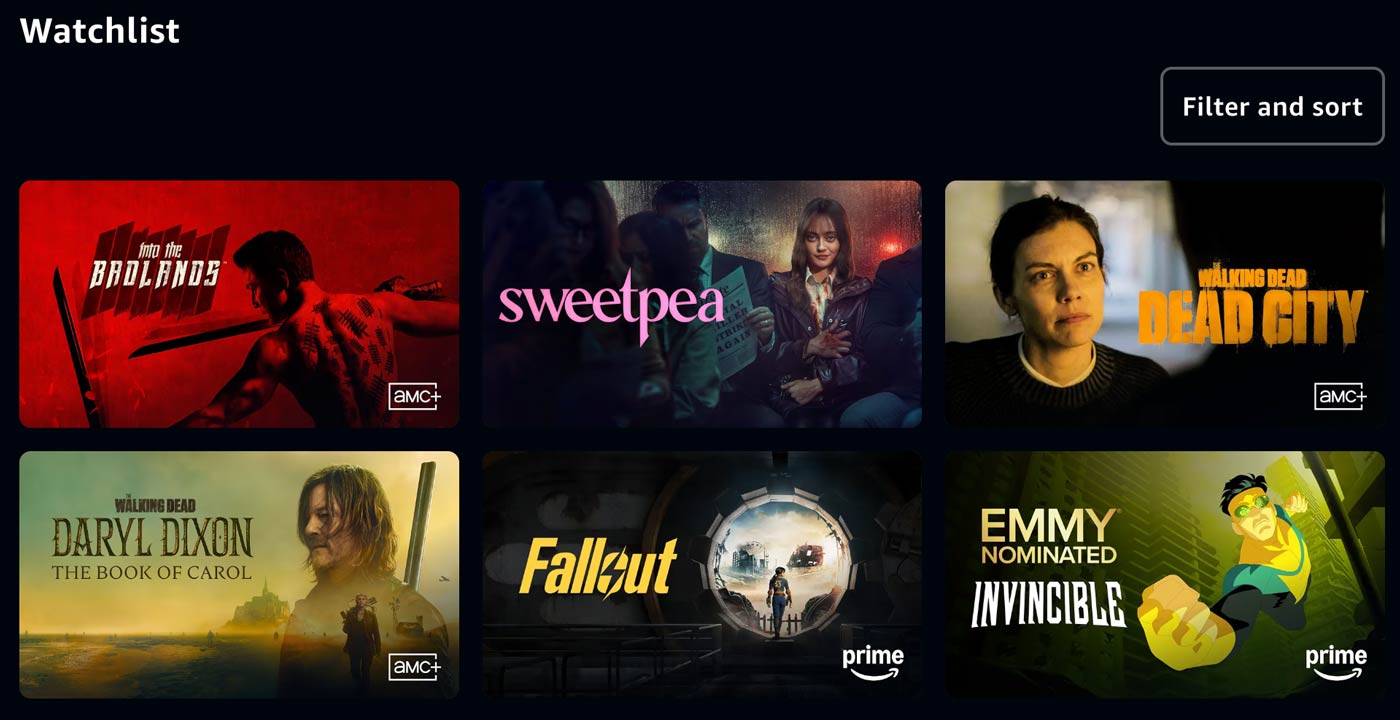
Legacy Device Availability
Streaming apps routinely drop support for older hardware. The Paramount+ app, for instance, won’t run on my 2017 LG OLED TV; LG supports it only on 2018 and newer sets. Subscribing to Paramount+ through Prime Video would be one option, since the Prime Video app is available on my TV. My Roku Ultra box provides another, since Roku supports a huge range of streaming apps.
Superior Audio & Video
Platforms often host video on their own infrastructure, which can mean better audio and video than a small streamer’s standalone app delivers. When I subscribed to AMC+ directly, its app gave me plain stereo sound. The same content through Prime Video Channels came with Dolby Digital 5.1 surround and a higher bitrate.
Retention & Returning Customer Offers
When you start a cancellation flow, a streaming service will often float a short-term discount to keep you from leaving. If you’re out of things to watch, cancelling is usually still the right move. But once in a while, the price drops low enough to change your mind.
For example, I subscribed to Paramount+ (via Amazon Channels) to watch season 2 of Strange New Worlds. I planned to cancel before my September billing date, then resubscribe once Lower Decks finished its fourth season in early November. When I went to cancel, Amazon offered to let me keep it two months at $0.99/month (versus the regular $11.99 at the time). At that price, I could watch Lower Decks weekly across its nine-week run. I wouldn’t have paid $24 for that privilege, but at $2, the decision was a no-brainer.

You can take this further. Even if you have no intention of cancelling, starting the cancellation flow will sometimes surface a retention offer worth grabbing. It doesn’t always work, but it costs nothing to look.
When I was between Hulu subscriptions (before I started bundling with Disney+), they’d routinely email me offers to come back: $2.99/month for six months. I always passed, though, since the discount only applied to the ad-supported tier.
Rotating Subscriptions
One easy way to overspend is letting every service renew on auto-pay, month after month. So I split my services into two groups: year-round staples like Netflix, and part-time services I rotate in and out.
If I’ve cleared my watchlist and don’t see new seasons or movies coming soon, I promptly cancel. That way, I avoid paying for a service during the weeks or months when the well is dry.
Before Disney+ and Hulu were bundled, I did the same with them, subscribing only when enough Marvel and Star Wars titles, or FX series, had piled up to be worth a month.

A bonus of rotating: every time you cancel, you become a target for discounts designed to lure you back.
Timing Subscriptions
When a streamer drops a marquee show on a week-to-week schedule, bad timing can cost you two or three months of subscription fees. With a little calendar strategy, you can cut that down to a single month.
Depending on your patience, you have two options:
- The Binge: Wait until the season finale drops, subscribe for one month, and watch the entire run at your leisure. You save the most money, though you risk seeing spoilers and missing out on the weekly water cooler talk.
- The Mid-Season Bridge: Wait until the season is roughly halfway through, then subscribe. You’ll pay for just one month, but you’ll catch the back half as it airs and stay closer to the live conversation.
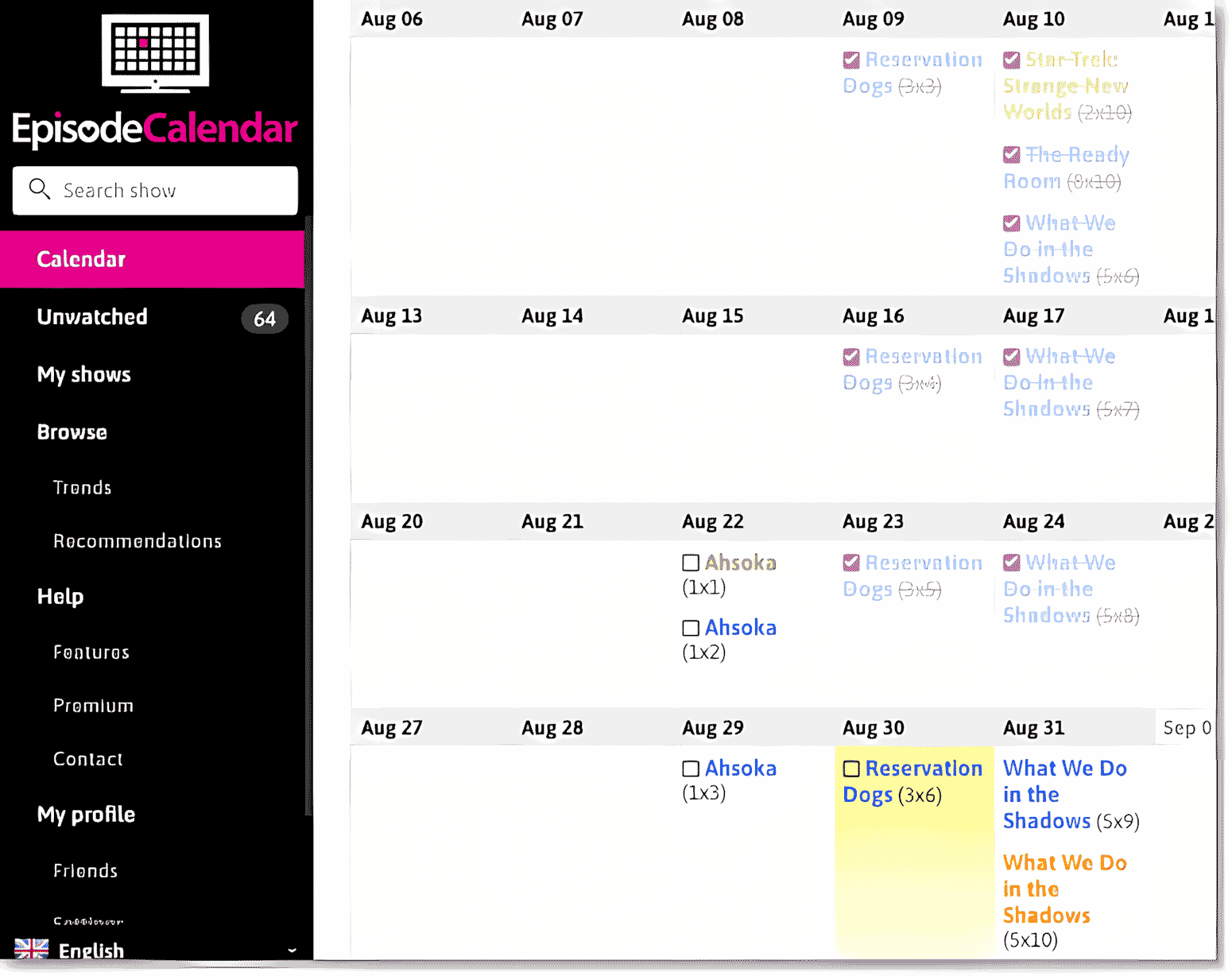
Here is how I used the second option for the Star Wars series Ahsoka on Disney+:
The eight-episode season ran from August 22 through October 3 — a window spanning three billing cycles if you subscribed on day one. Instead, I subscribed on September 5, when four episodes were already waiting. I watched those, caught the final four weekly as they dropped, and canceled on October 4. One month’s fee, minimal spoilers.
If you can land a free trial, stack it with your paid month to start catching the weekly drops earlier without paying for a second month.
Free Streaming Via Your Library
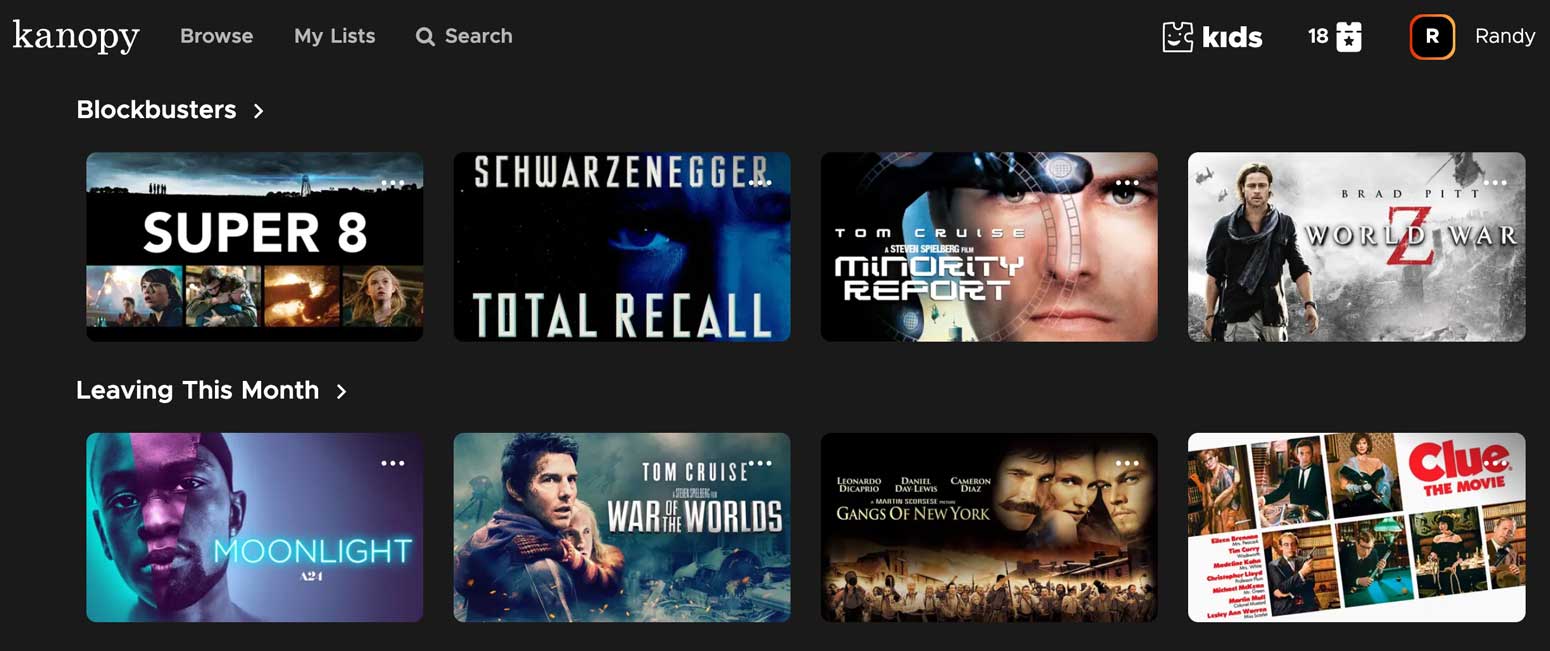
A local library card gives you free access to ad-free streaming services like Kanopy and Hoopla. Their catalogs are smaller, but I regularly find movies there that aren’t on any ad-free subscription service.
If your library offers both, go with Kanopy, since in my experience the picture and audio are better than Hoopla’s. To get started, sign in with your library card number; many U.S. library systems support at least one of the two.
Bonus Tips
Calendar Reminders
Whenever I subscribe to a service, I set a recurring monthly calendar event on the billing date, with an alert a few days before. That gives me a window to decide whether another month is worth it before the charge hits.
Monitor Your Credit Cards
Scan your credit card activity for recurring streaming charges. It catches two things: “zombie” subscriptions you forgot to cancel after a show ended and silent price hikes that are your cue to downgrade, cancel, or rotate the service out.
Check the Big List of Streaming Deals
Tech writer Jared Newman maintains the Big List of Streaming Deals — an up-to-date roundup of discounts, bundles, and promo codes — on his Cord Cutter Weekly site. Before I commit to a full-price subscription, I scan it for active deals.
Tactics I Don’t Use
A few other tactics get recommended a lot, but I don’t use them. Here’s why.
Check for Perks from Your Internet or TV Provider
Some internet and TV providers bundle streaming discounts if you bill through them. Comcast/Xfinity StreamSaver and Verizon Home Internet Perks are examples. The offers I’ve seen from my own provider are tied to services or plan tiers I don’t use, so none have worked out for me.
Sharing Passwords Across Households
Sharing a password across separate households violates most services’ terms of service, so I don’t do it. (Sharing one account among people under the same roof, with separate profiles, is fine and expected. That’s not what this is about.)
For where each major service draws the line, see PCWorld’s guide to streaming password sharing.
Subscribe to Ad-Supported Plans
Most services offer cheaper tiers that come with ads. They’re a legitimate way to save, but I only watch ad-free, so they’re not for me.
Annual Subscriptions
Most services offer a discount for prepaying a year up front. That’s a real saving on something you watch year-round, but it locks you in, so you can’t rotate that service out or catch returning-customer promos.
Student Discounts
Some services offer discounted rates for college students; Hulu, Paramount+, and HBO Max have all run student deals. I’m long past college myself, so these don’t apply to me. But if you’re a student, Rolling Stone has a rundown of student streaming deals and how verification works.
Watching FAST Services
Free ad-supported streaming TV (FAST) services offer thousands of movies, shows, and live channels at no cost — Tubi, the Roku Channel, and Pluto TV are the big ones. The catch, and the reason I don’t use them, is right there in the name: everything is ad-supported, and I only watch ad-free.
A Case Study
Here’s what my streaming lineup looks like, and what it costs.
As noted, I stick to ad-free tiers, and I pay for 4K where it’s a separate charge (Netflix and HBO Max, for instance).
My Year-Round Services
I subscribe to two services continuously.
Netflix
Even if it were just me, I’d likely subscribe year-round for its mix of original and licensed content. Add in my wife’s and kids’ viewing, and it’s easily our number-one must-have.
- Plan: Premium (4 simultaneous streams, 4K)
- Price: $20/month through T-Mobile (list price $26.99)
Apple TV
Apple TV started as a rotational service for me, but it became a permanent fixture once I began getting it through promotional partners. Even at full price, it now has enough high-quality shows that I’d keep it year-round regardless. See my TV reviews for the Apple series I recommend.
- Plan: Monthly
- Price: $3/month through T-Mobile (list price $14.99)
(A Chase card actually gets me Apple TV free for a year, but since that promo will expire, I’m using the T-Mobile price in my calculations.)
My Rotating Services
I rotate through several other services, subscribing anywhere from once to several times a year.
HBO Max
I used to watch HBO Max as much as Netflix, and for a long time got it free through AT&T. These days it has fewer shows I care about, and the rest of the family rarely watches it, so I subscribe on a rotating basis.
- Plan: Premium Ad-Free (4K)
- Price: $22.99/month
Hulu & Disney+
I subscribe to Hulu for its mix of original and licensed movies and TV, and to Disney+ for Marvel and Star Wars. Since Disney sells them together for barely more than Hulu alone, I always take the bundle. The Amex $10 monthly credit makes it cheaper still, so I keep it for longer stretches these days — though I’ll still rotate it out when I’ve exhausted my watchlist.
- Plan: Disney+, Hulu Bundle Premium
- Price: $11.99/month after Amex credit (list price $21.99)
Paramount+
I subscribe primarily for the various Star Trek series, which means I’m typically subscribed less than half the year.
- Plan: Paramount+ Premium
- Price: $13.99/month

Amazon Prime Video
I watch Prime Video intermittently for a mix of movies and original series (like Fallout, The Outlaws, and Invincible). I subscribe to Prime for the Amazon shipping benefits, so I don’t count the annual membership fee as a streaming cost. However, since the default Prime Video now has ads, I opt into the ad-free Ultra tier only during the months I’m actually watching.
- Plan: Ultra (ad-free upgrade to Prime Video)
- Price: $4.99/month
AMC+
Standalone AMC+ was a big reason I finally cut the cord. I like to watch shows in The Walking Dead universe as they air week to week. Before AMC+, my only options were an expensive cable or satellite package, or a months-long wait for episodes to hit Netflix. Now they drop Sunday nights, simultaneous with the broadcast. Thank you, AMC+ and — snip — adios, DIRECTV.
- Plan: Premium
- Price: $10.99/month

Peacock
It took a while, but Peacock eventually built up enough must-see content for me to try a month. On that first stint, I watched several exclusive movies and found a gem of a TV series: We Are Lady Parts. Since then, it’s been an occasional part of my rotation — and overall, the one I watch least.
- Plan: Premium Plus
- Price: $19.99/month

Kanopy & Hoopla
I occasionally stream movies on these free services from my local library. Because they’re always available without a subscription, I drop in just a few times a year when specific titles pop up.
VOD Rentals
Once in a blue moon, I’ll rent a movie on Amazon or Apple — either to watch something before it hits subscription streaming, or because it’s not on any service I currently have. Rentals typically run $3.99 to $5.99.
Total Monthly Cost
Since I rotate services in and out, my monthly streaming cost fluctuates. So I’ll calculate three totals: minimum, typical, and maximum. All the figures below reflect the discounts I’ve described: T-Mobile pricing, the Amex credit, and bundle savings. Without them, I’d pay considerably more.
Minimum: $23
With only my core year-round services (Netflix & Apple TV), my monthly cost is $23.
Typical: ~$48
On top of my year-round base of $23, most months I add at least two rotating services — say, Paramount+ for Star Trek and AMC+ for The Walking Dead. In a worst-case scenario, without any discounts, those two add $24.98 for a typical monthly total of $47.98.
Maximum: ~$108
In the unlikely event I subscribed to all my favorite services at once, my total would be $105.94.
A Savings Snapshot: Stacking Promos in Practice
To demonstrate how promo-stacking works in practice, here is a snapshot of my monthly subscriptions from July 2026. By combining credit card statement credits, temporary channel add-ons, and promotional rates, I held seven ad-free services at once for an out-of-pocket cost of $33.48:
- Netflix: $20.00 (through T-Mobile)
- Apple TV: $0 (free year from Chase)
- Disney+: $9.99 (bundle price with Hulu, after the $10 Amex credit)
- Hulu: $0 extra (included in the Disney+ bundle)
- Paramount+: $0 (after a limited-time Amex credit)
- AMC+: $2.50 ($29.99 annual special via Prime Video Channels)
- Starz: $0.99 (two-month special via Prime Video Channels)
That $0 for Paramount+ was part of a five-month run that cost me just $2 total. I redeemed a two-month promo rate, then switched to a three-month Amex credit.
Summary
While streaming deals aren’t falling out of trees anymore, you can still get a big lineup for a small bill with minimal effort, just by adopting the habits I’ve covered here.
Your Turn
Plenty of tech sites publish generic lists of streaming tips. I hope my real-world case study gave you a practical strategy or two for watching what you want at a price you’re happy with.
How are you stacking deals or rotating services right now? Got a clever savings trick of your own? Let me know in the comments.
(Note: I moderate all comments, so there may be a short delay before yours appears.)
Hulu has had a Black Friday deal the last three years for .99 or 1.99 per month for 12 months. Worth adding to your article
Thanks – will definitely add.
Promotional deals are starting to show up in all sorts of places. Walmart+ subscription comes with free Paramount+. I get way more mileage out of that membership than I did Amazon Prime. They offered 6 free months of Spotify last year, too.
Instacart has a similar deal with another streaming service — I think Peacock. Certainly not worth signing up if you never use Instacart, but a nice deal if you’re on the fence about whether you’d benefit from a paid membership.